









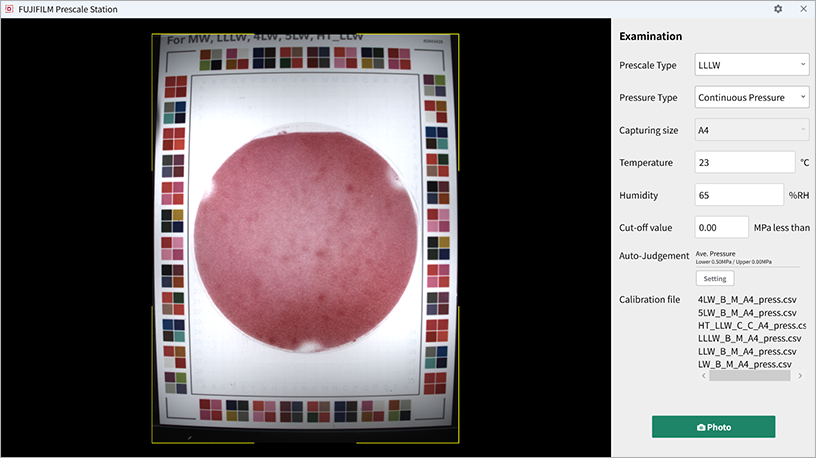
设置以下项目:
- 压力测量胶片类型
- 施压类型(瞬间压力/连续压力)
- 采集尺寸
- 温度
- 湿度
- 无效压强*¹(可选)
- *1 压强值低于设定值将被视为无效。
通过预先设定阈值或阈值范围,可启动系统自动执行合格/不合格判定并显示分析结果。
- 开/关:设置自动判断。
- 如果分析结果在设定值/范围内,则判断为“Pass”(通过)。
按下“Photo”(拍照)按钮检查采集的图像。
按下“Inspection”(检查)按钮检查压力。
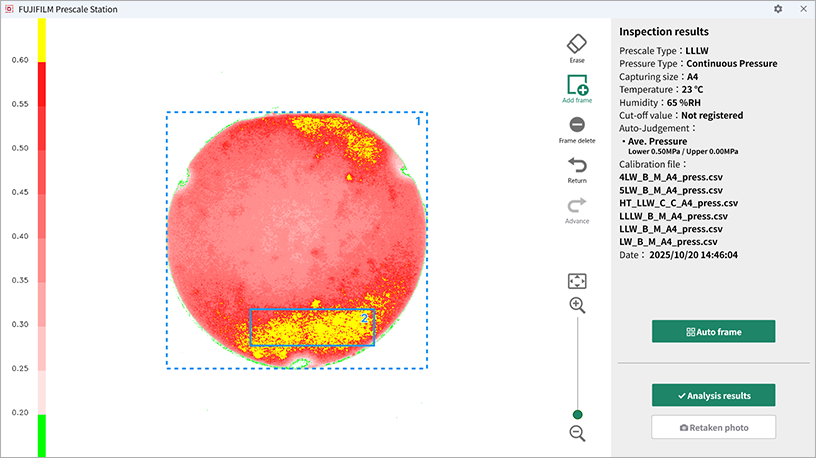
- 自动添加检查框:按“Auto Frame”(自动框选)按钮,系统将自动在1平方厘米及以上彩色区域设定检测框。
- 添加方形检测框:按“Add frame”(添加检测框)图标并在图像上拖拽,即可添加一个方形检测框。
是指可以将采集图像中的指定区域设置为免检区域。点击“Erase”(擦除)图标,在需排除检测的区域进行填充,即可将其设置为不参与检测。
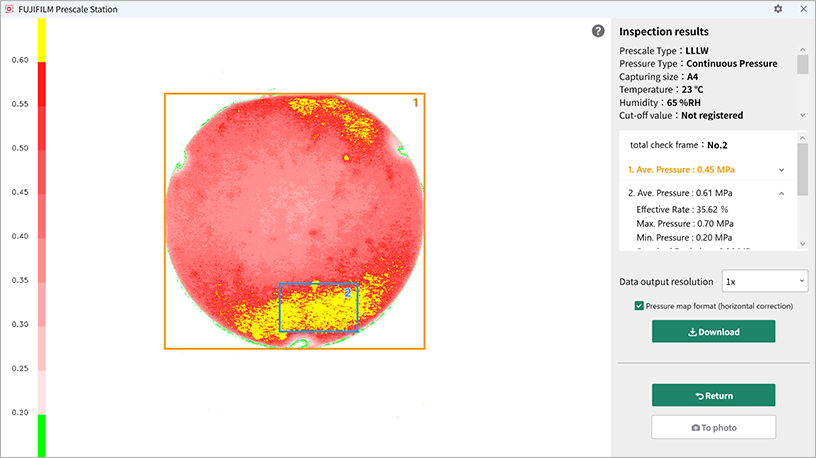
按“Analyze Result”(分析结果)按钮显示检测结果。可以通过点击“Average Pressure”(平均压力)下方的箭头来查看项目。还可以查看合格/不合格判定结果。
按下“Download”(下载)按钮,即可导出测量结果、图像及压力分布图。
按下“To Photo”(返回拍照)按钮返回到阅读屏幕。之前的设置将会被保留。
| 项目 | 单位 | 说明 |
|---|---|---|
| 测量表面积 | mm2 | 指定区域和待处理区域的面积 |
| 受压面积 | mm2 | 产生颜色的区域面积 |
| 压强效率 | % | 着色区域的百分比 |
| 有效率 | % | 着色区域在适用Prescale推荐压强范围内的百分比 |
| 平均压强 | MPa | 产生颜色区域的平均压强 |
| 最大压强 | MPa | 产生颜色区域的最大压强 |
| 最小压强 | MPa | 产生颜色区域的最小压强 |
| 重量 | N | 产生颜色区域的重量(根据受压面积和平均压强的乘积计算) |
- 检测结果如下:历史界面显示的信息(压力测量胶片类型、压力类型等)与分析结果(平均压力、压力面积等)
- 图像:图像文件,包括采集的原始图像、分析图像及色阶图等。
- 压力分布图:输出各单元格的压力数值数据。各单元格的分辨率可单独调整。
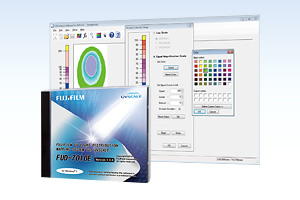
![[photo] FPD-8010E Installation CD](https://asset.fujifilm.com.cn/www/cn/files/2026-06/4d1ea8671b4600432960302d312f8fbc/thumb_01.jpg)